Address: The physical address that your client would travel to (e.g. an office).
Online: Enabling this option shows that you provide therapy online (e.g. over Skype, Zoom). After accepting a booking, please contact the client directly to confirm how they will access the online session.
Note that multiple location types can be enabled simultaneously.
Adding Locations
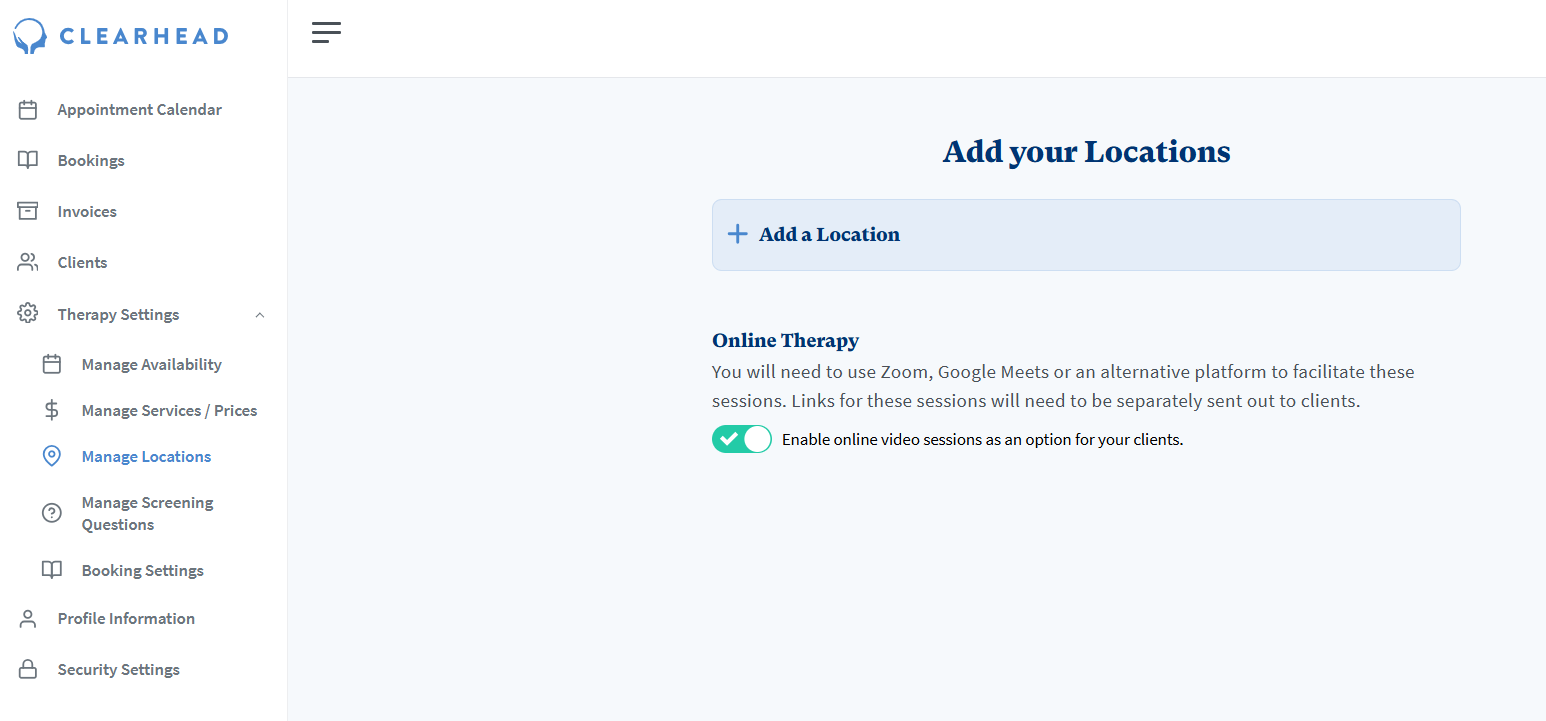
To add your therapy locations, within the Provider Portal you can click into Therapy Settings > Manage Locations > Add a Location
Adding an Address location requires: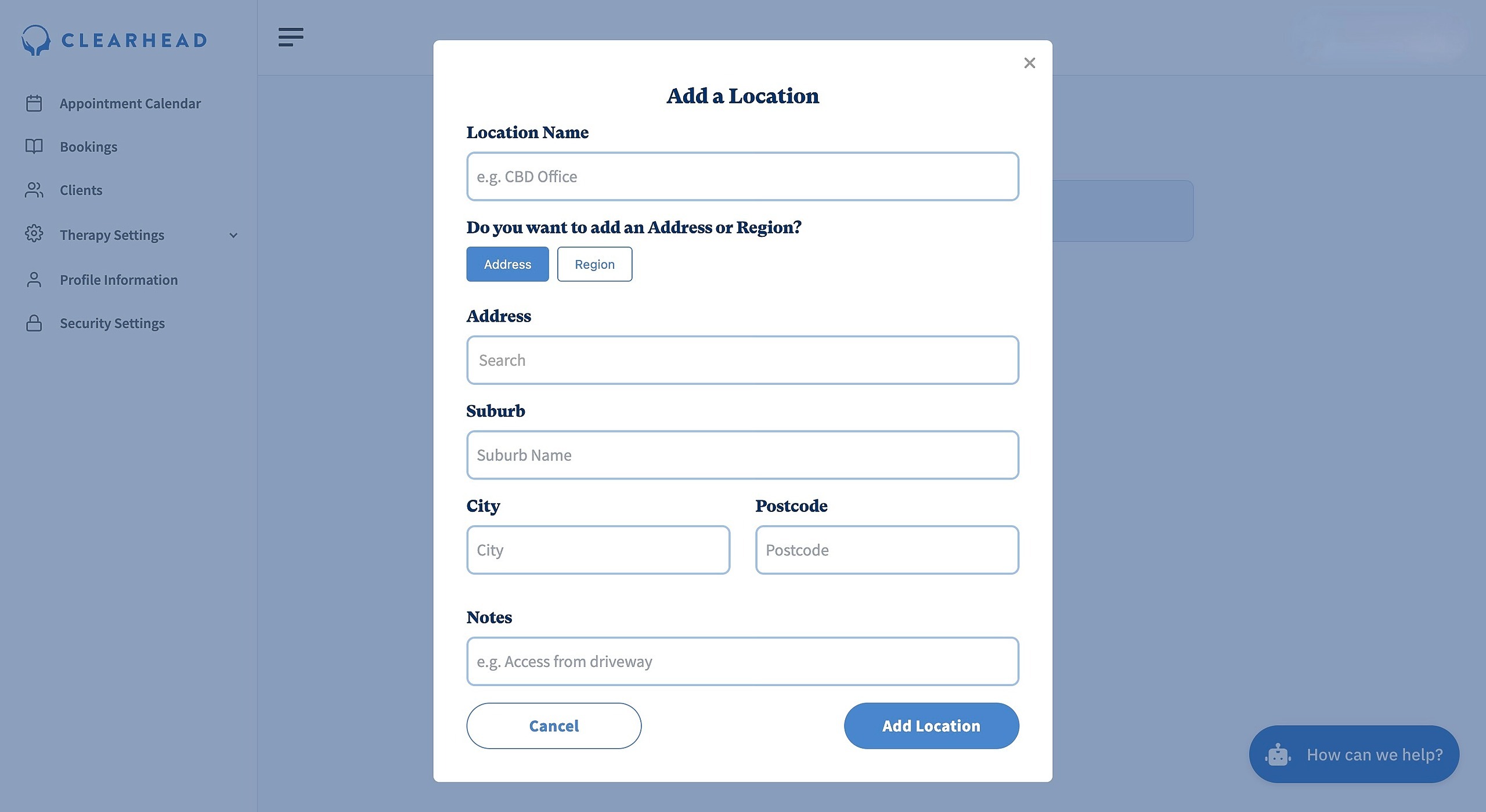
- Location Name
- Address
- Suburb
- City
- Postcode
- Optional Note
Adding a Region location requires: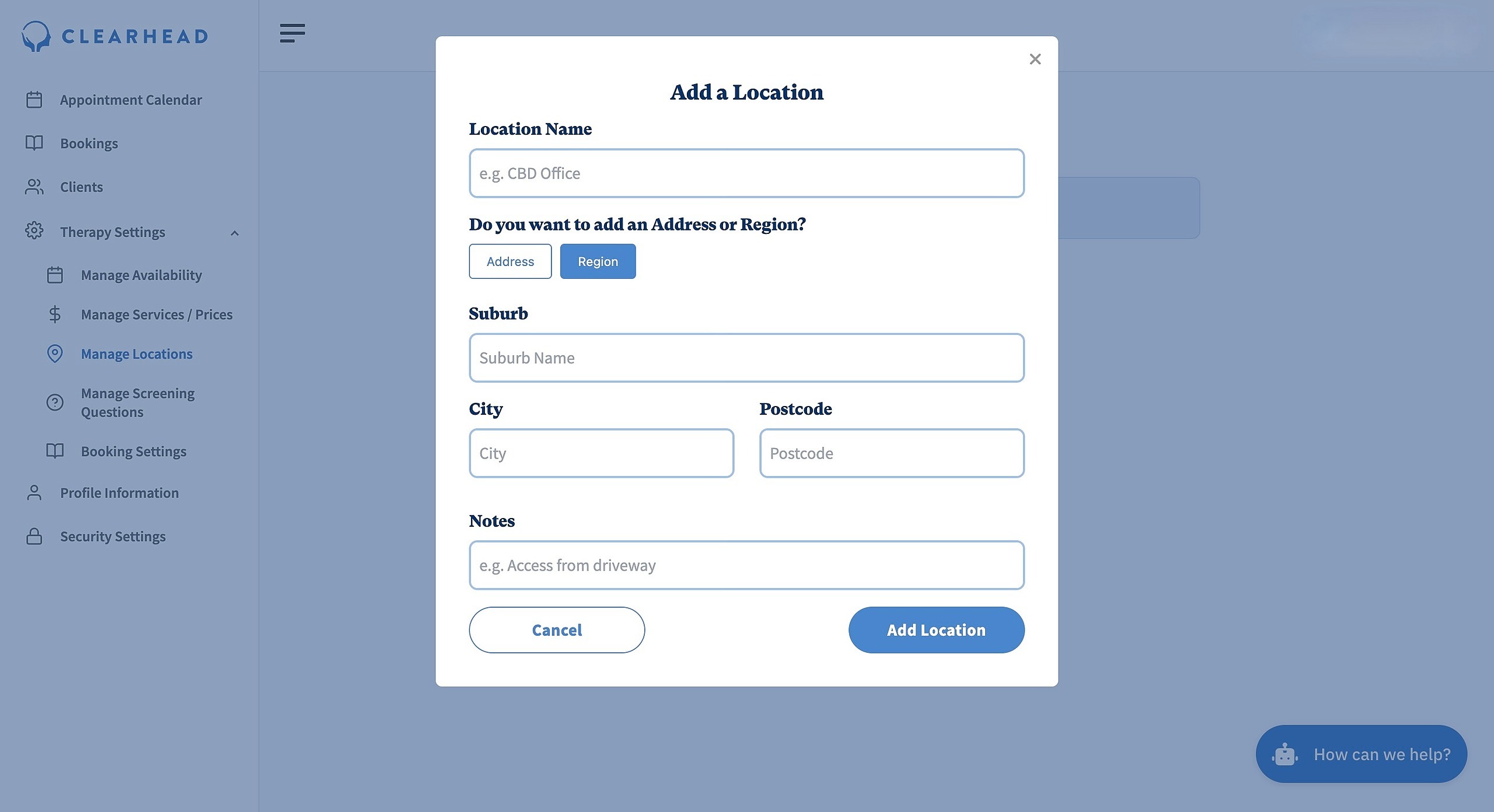
- Location Name
- Suburb
- City
- Postcode
- Optional Note
Adding an Online location: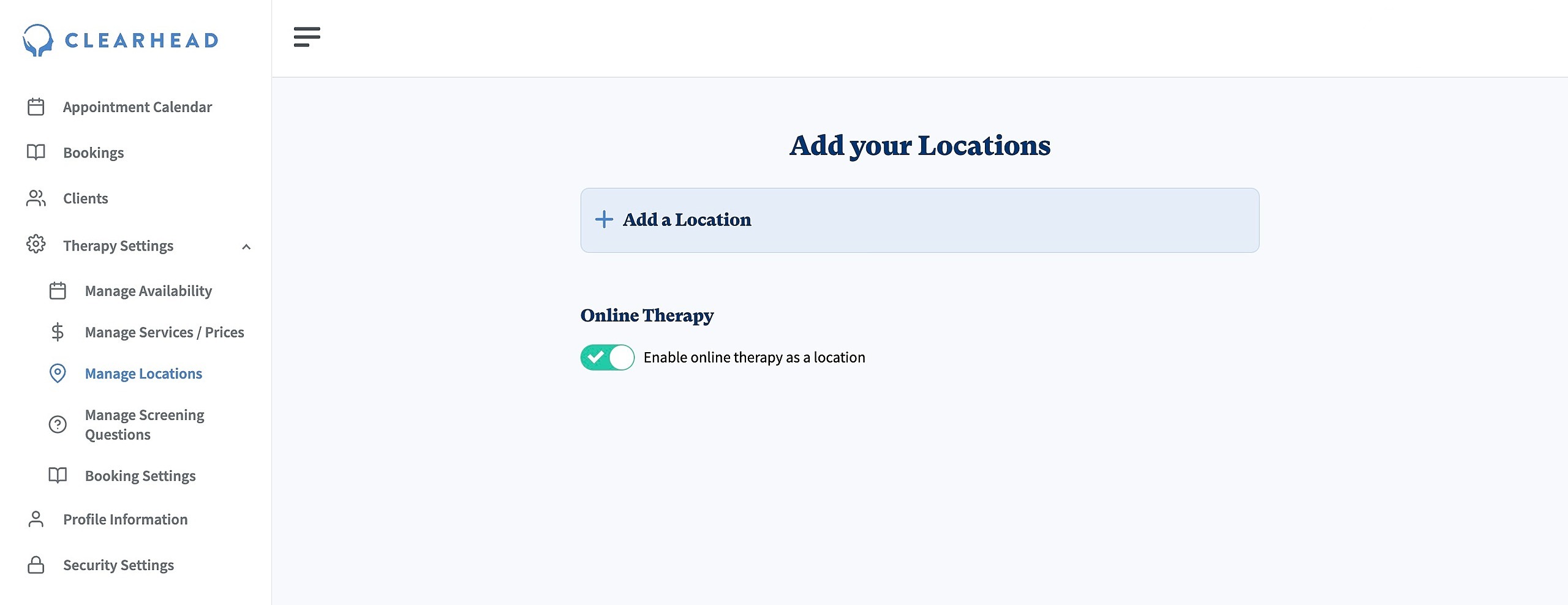
- Click on the toggle to Enable online therapy as a location