Your phone number is shared with clients once a booking is confirmed, so they have a way to contact you, alongside email, if they need to discuss their upcoming session.
If you'd like to hide your phone number from client emails, go to Therapy Settings → Booking Settings and turn off "Show my phone number in client emails."
We recommend leaving phone number shown in emails, but we understand that you may prefer not to share your number.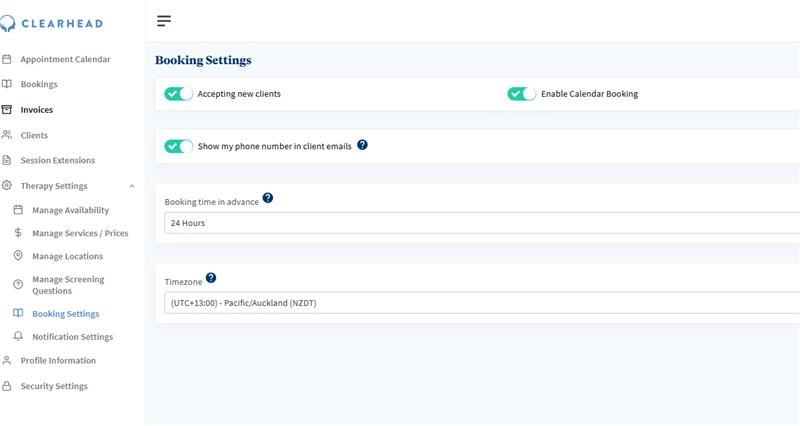
Was this article helpful?
That’s Great!
Thank you for your feedback
Sorry! We couldn't be helpful
Thank you for your feedback
Feedback sent
We appreciate your effort and will try to fix the article