1. Navigate to the “Bookings” screen using the navigation on the left.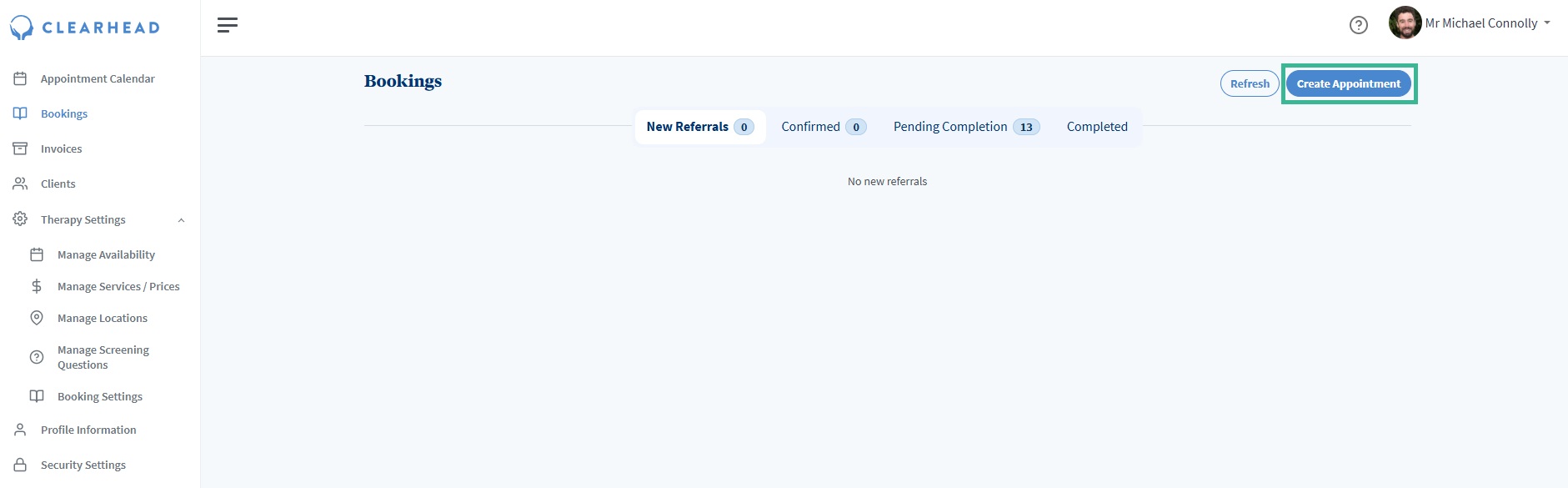
2. A screen will open up and you’ll need to enter the contacts name.
Please note if the contact is new, you will need to navigate to “Clients” on the left and create them using a valid email address and phone number.
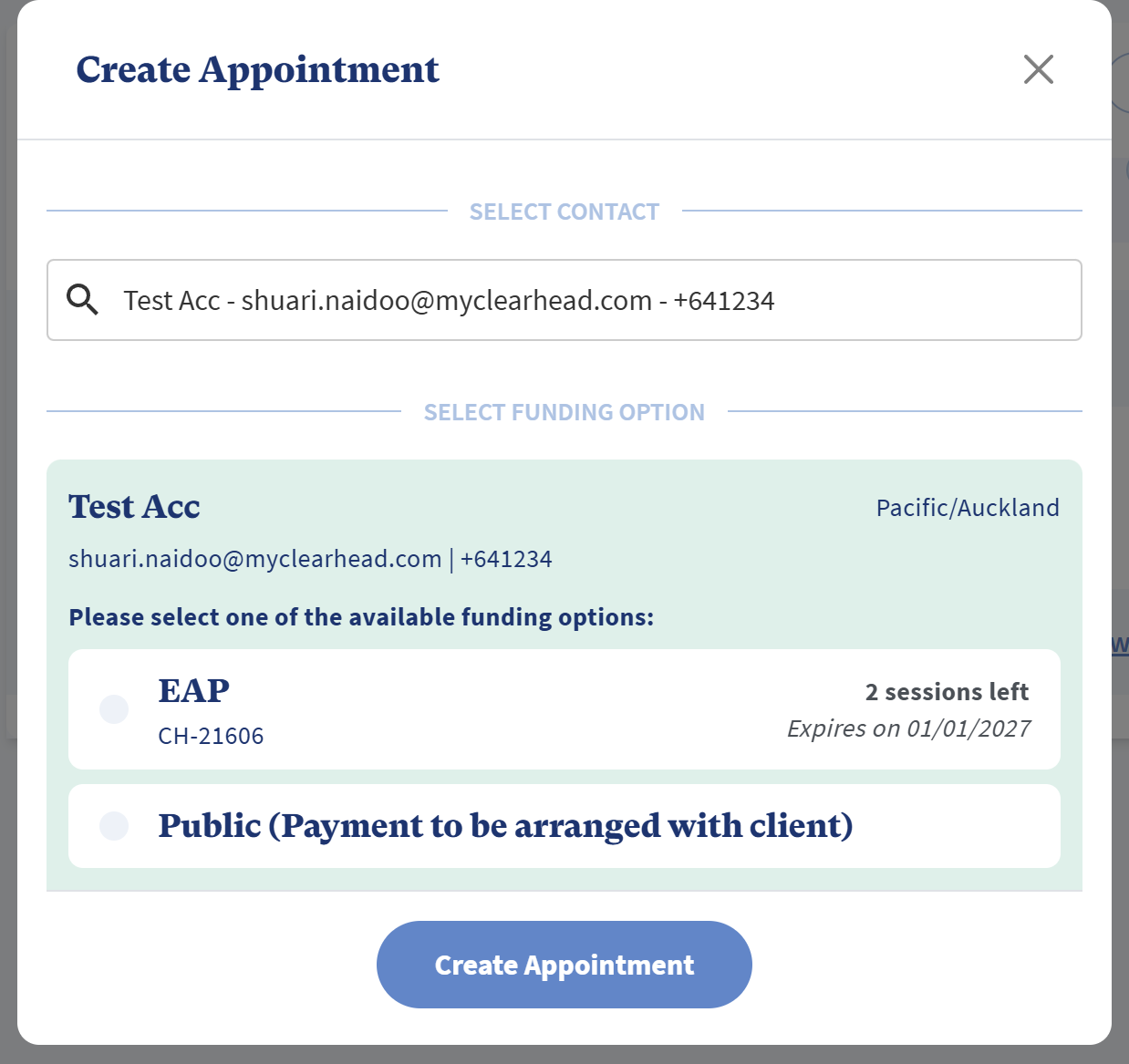
3. After you select the contact, you’ll be shown the available funding options.
If they have EAP funding, an option will be shown, with the number of sessions available on the right In this example you see 2 sessions left, so 2 sessions are able to be booked.
If you create the appointment with EAP funding then an EAP appointment will be deducted, and there will be 1 remaining EAP session left when you attempt to book another. EAP sessions have their invoices generated by our system after you mark them as completed.
Please note that remaining EAP sessions can change at any time because an individual can use their allocation for different therapy services.
You will also see Public (Payment to be arranged with the client). These are non-EAP funded sessions.
If you select Public, this is will mean the session is self funded, and payment will need to be sorted with the client directly. No invoice will be generated for this.
If a client is showing as a Public referral but you believe they have EAP entitlement, please send an email to therapist-support@myclearhead.com and we can help you resolve this.
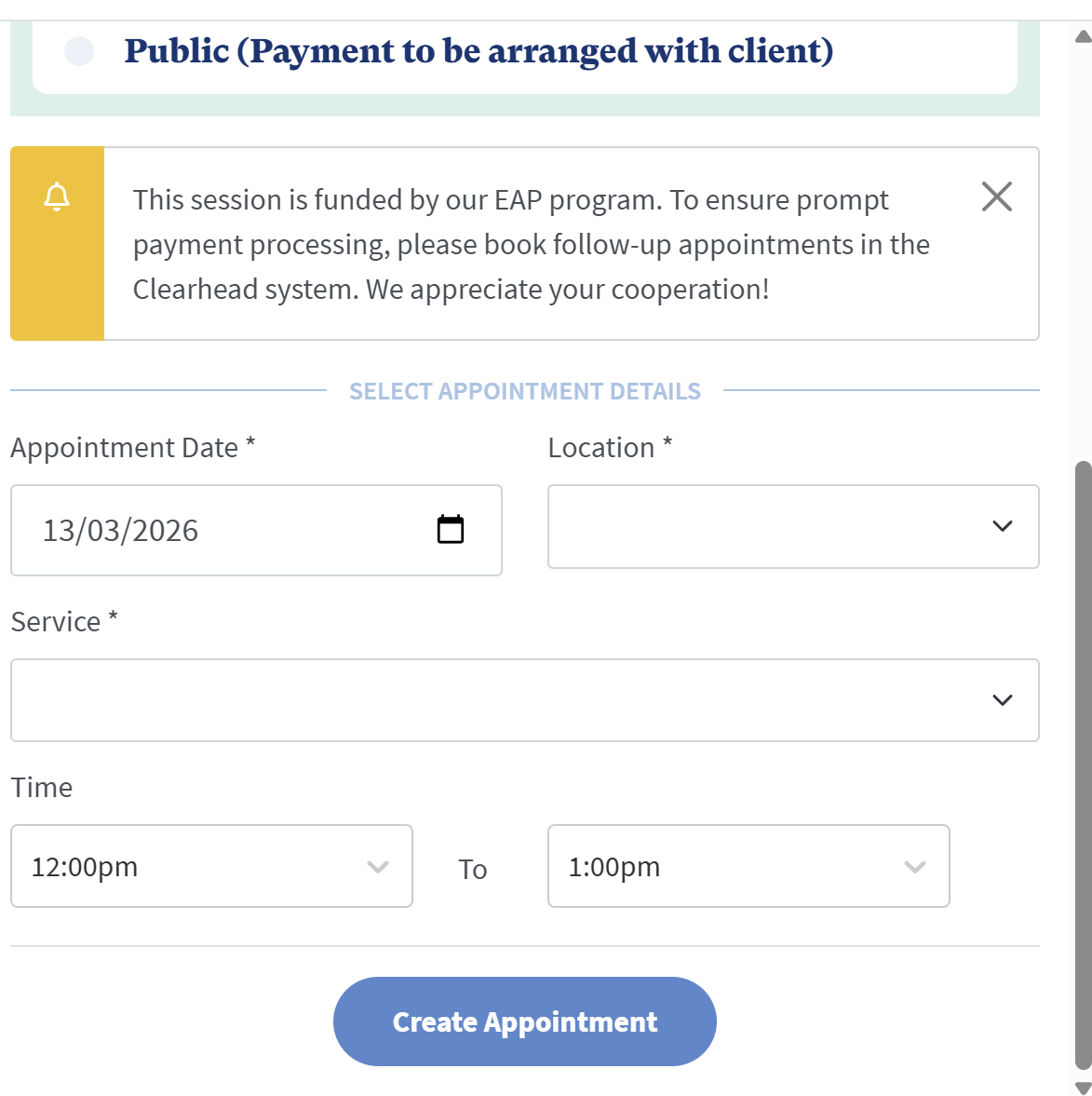
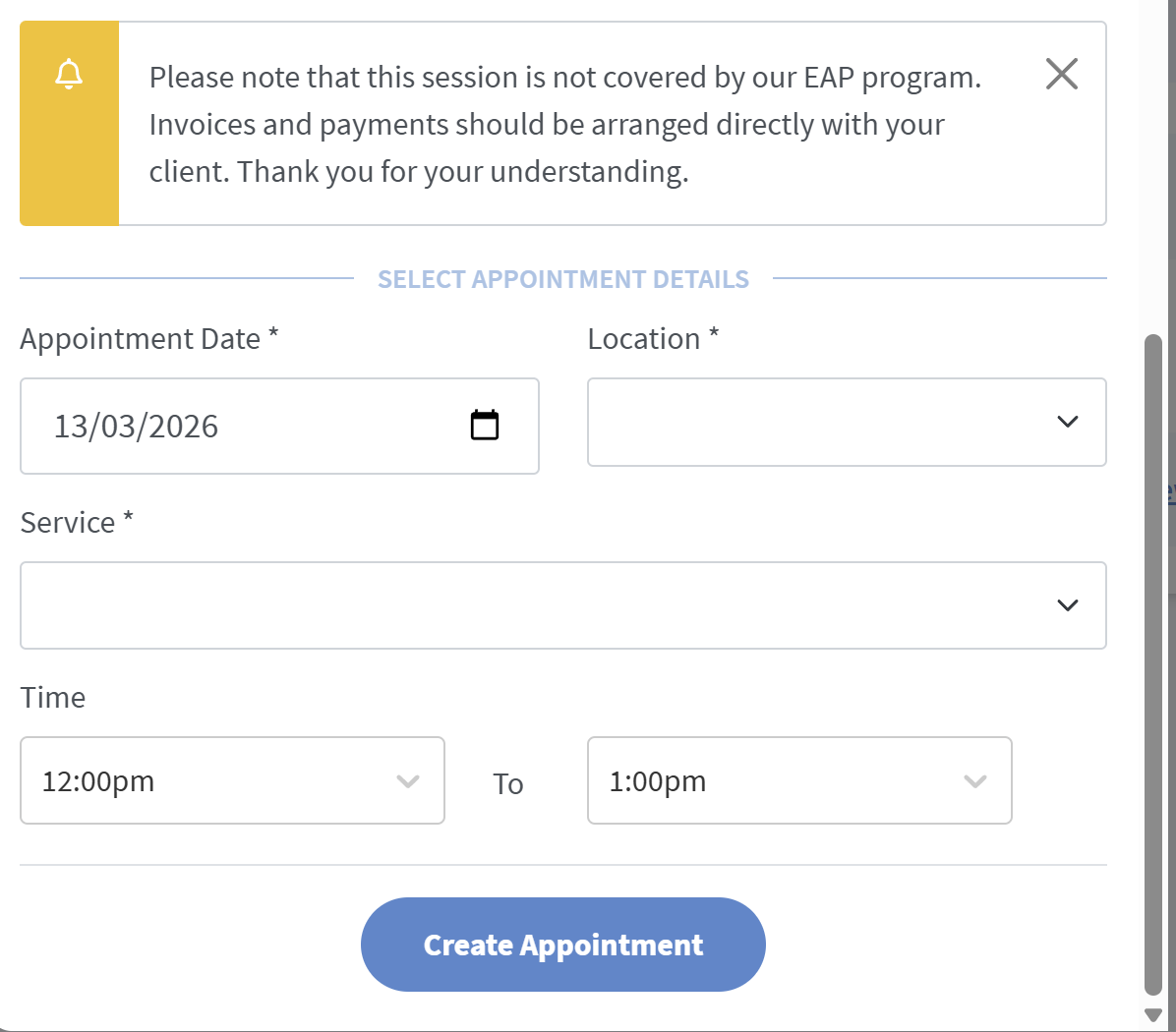
4. You can now set the rest of the appointment details and press 'Create Appointment'.
EAP
 For Public (Non EAP)
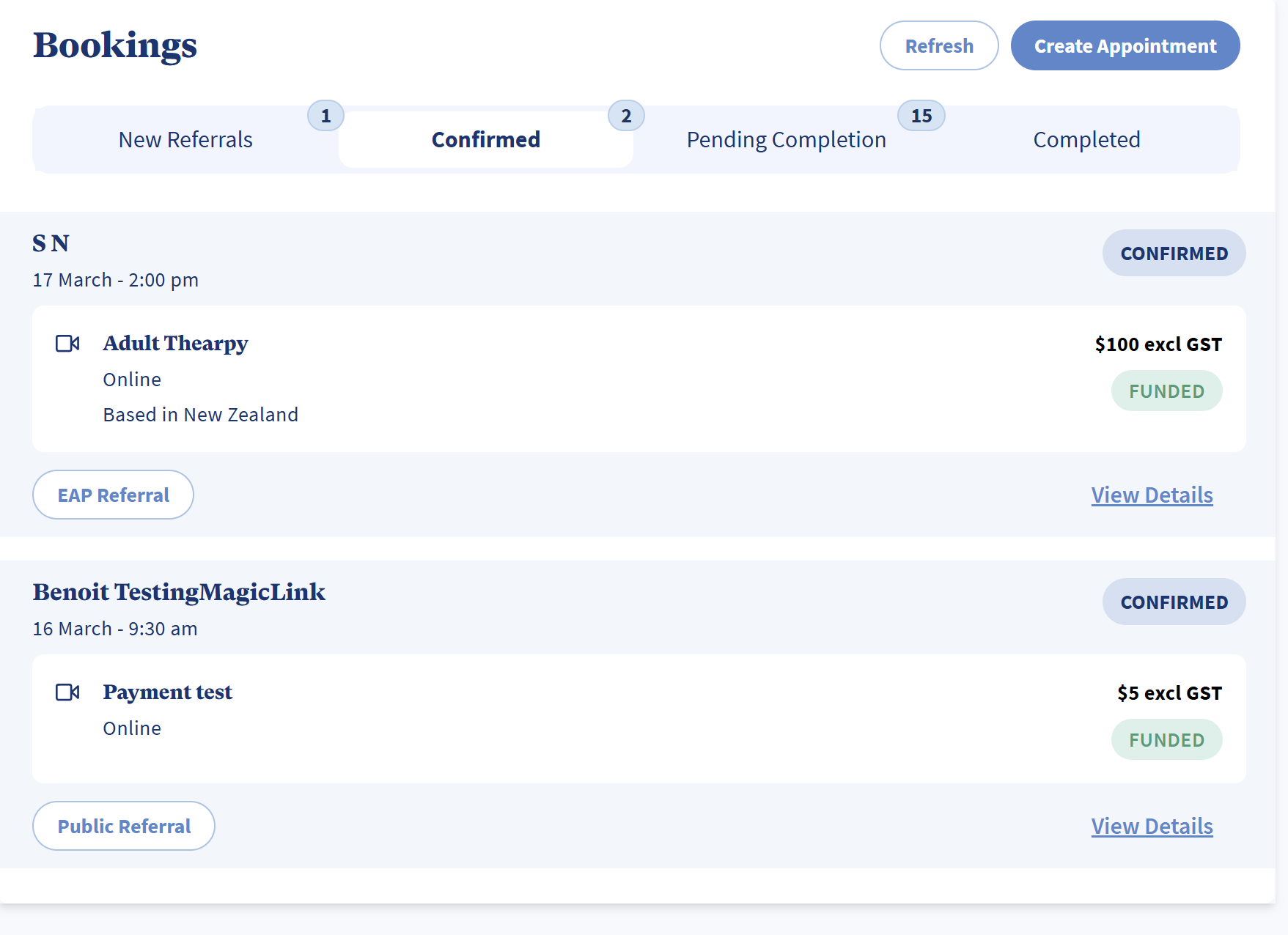
5. If you need, you can edit / modify your newly created appointment by clicking on “Confirmed” and then clicking on the appointment card.
Was this article helpful?
That’s Great!
Thank you for your feedback
Sorry! We couldn't be helpful
Thank you for your feedback
Feedback sent
We appreciate your effort and will try to fix the article