Unimed is an insurance company where members have a dollar limit policy (commonly $1000) where they can access therapy directly through Clearhead. However they can also claim other healthcare services against this policy, so the number of sessions can be subject to change. We understand this can make it challenging to plan your intervention, but this is set by Unimed and not Clearhead.
To see how many sessions a client is entitled to when a booking is requested:
Go to the Confirm Appointment screen and you will see this information under 'Session Usage'.
Again, this number is subject to change. The number of sessions can go down if the client uses their benefit outside of Clearhead or even with another Clearhead provider. 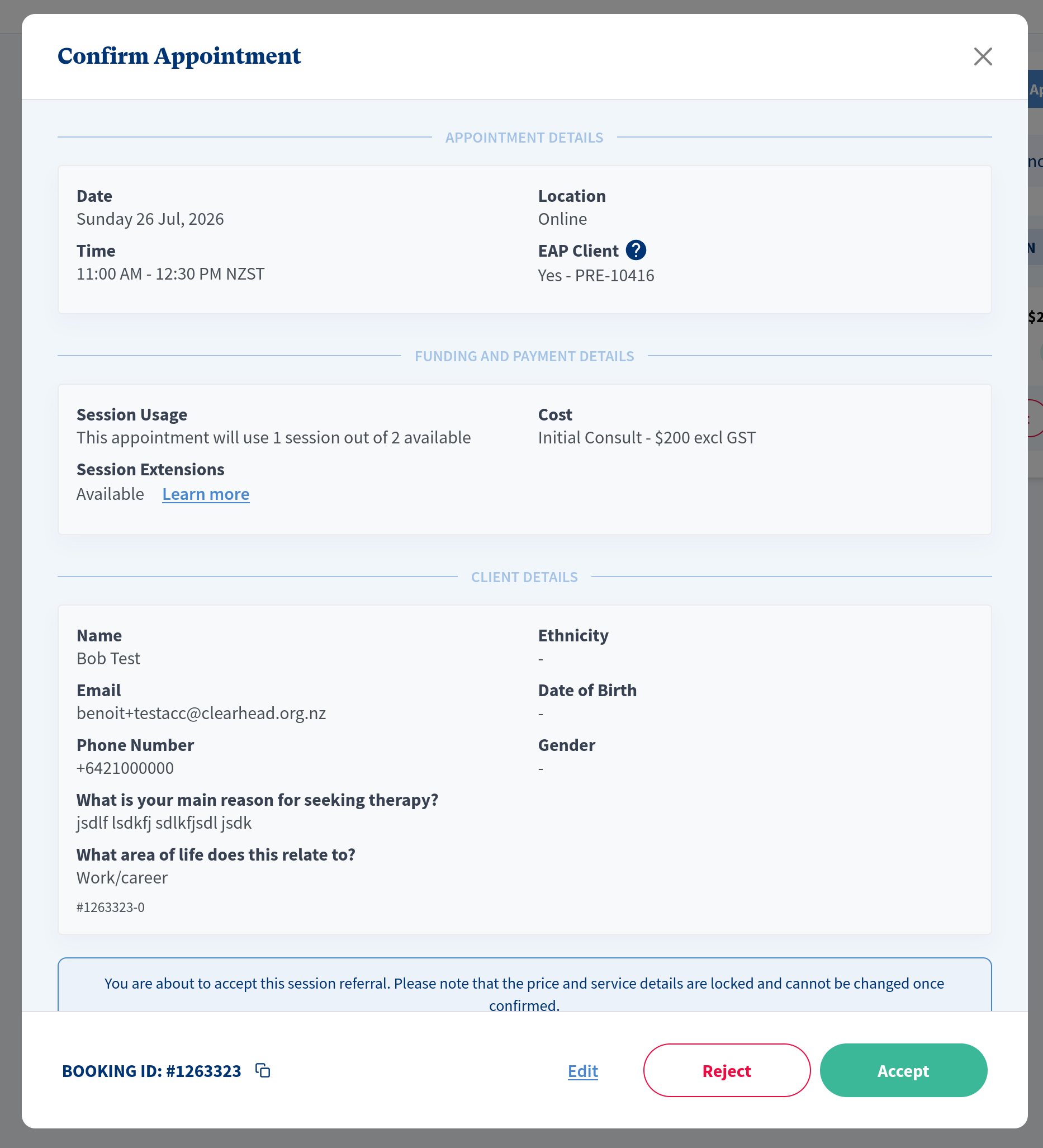
To see how many sessions a Unimed client has left at other times:
Go to 'Create appointment', type the client's name and select their Unimed allocation/funding.
Under 'Select Appointment Details', select the service you wish to deliver to see how many sessions are available for that service.
Here is an example:

The sessions available will vary based on the cost of the service selected.
For more information see: Unimed FAQ
Was this article helpful?
That’s Great!
Thank you for your feedback
Sorry! We couldn't be helpful
Thank you for your feedback
Feedback sent
We appreciate your effort and will try to fix the article