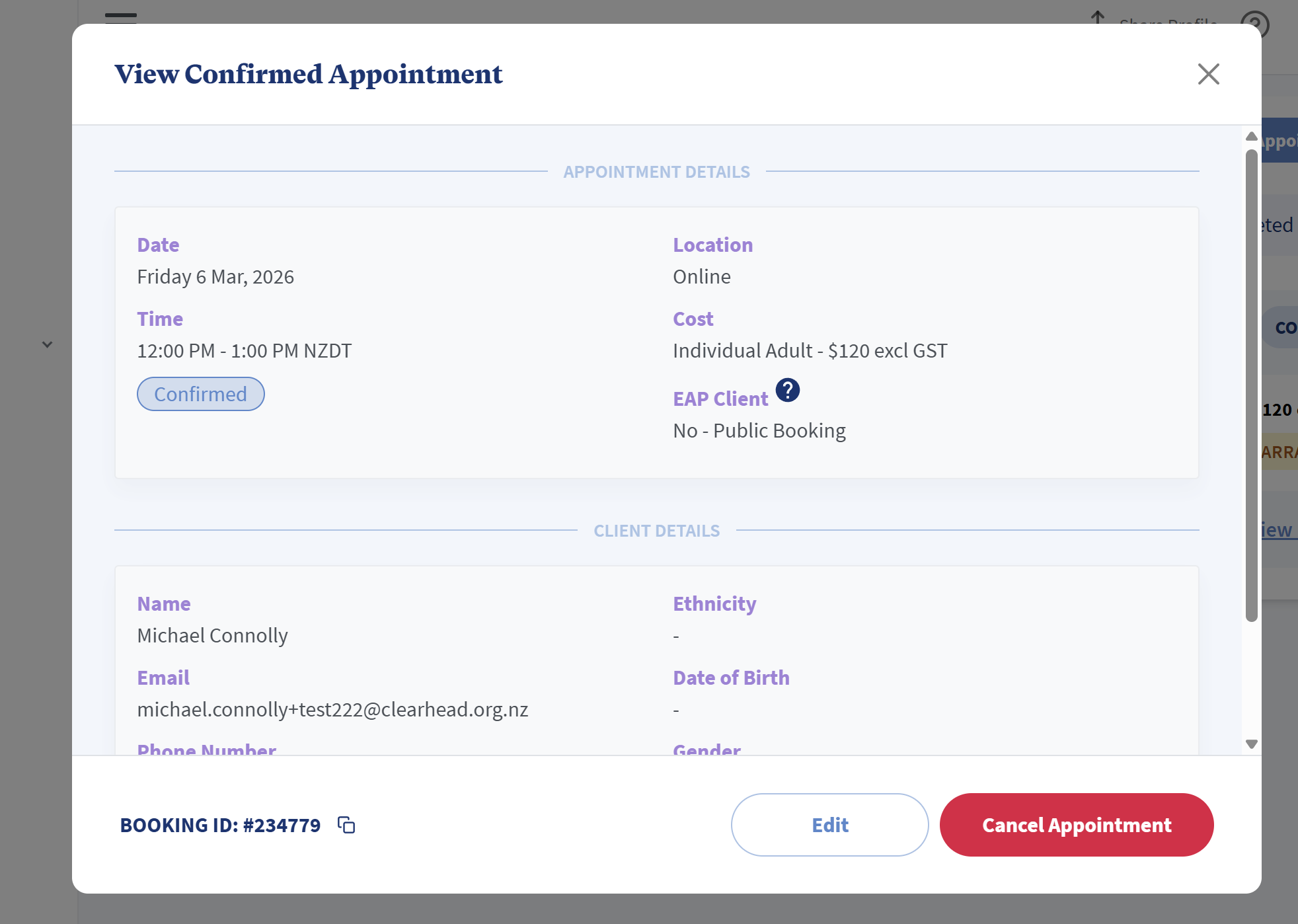
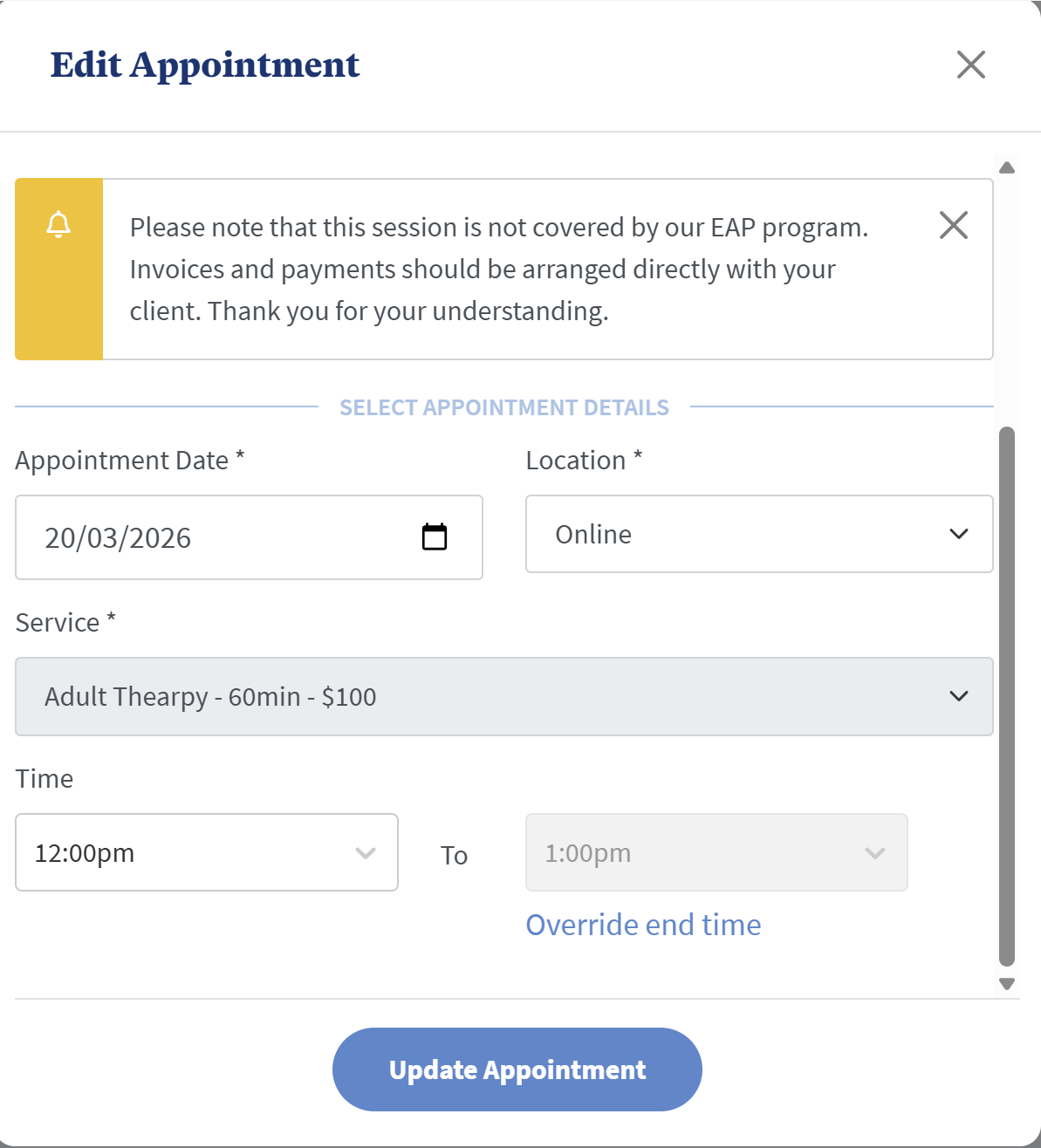
You can do this when an appointment is pending or confirmed by following these steps:
- Go to Bookings in the left-hand navigation bar
- Find the appointment you want to edit and click on it
- Select the Edit button on the bottom of the pop up window
- You can then edit the appointment date, time and location.
- Select Update Appointment. This will automatically update your provider portal and email changes to the client.