This guide shows you what to do if your invoice is overdue.
An invoice will show as overdue 10 working days after the invoice has been submitted. You can see overdue invoices from the 'Unpaid' section of the Invoices tab or from the Bookings tab under ‘Completed’ bookings.
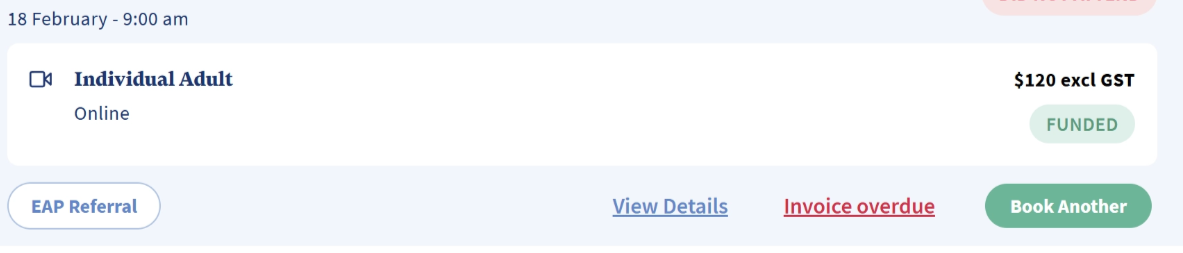
If the invoice is Overdue, then please email invoices@myclearhead.com with the Invoice ID/Number. This can be found on the Invoices tab or on the Bookings tab (click 'Invoice overdue' to bring up the invoice and find the Invoice Number).
An invoice will show as overdue 10 working days after the invoice has been submitted. You can see overdue invoices from the 'Unpaid' section of the Invoices tab or from the Bookings tab under ‘Completed’ bookings.
If the invoice is Overdue, then please email invoices@myclearhead.com with the Invoice ID/Number. This can be found on the Invoices tab or on the Bookings tab (click 'Invoice overdue' to bring up the invoice and find the Invoice Number).
Invoices Tab

Bookings Tab 'Completed' bookings
Was this article helpful?
That’s Great!
Thank you for your feedback
Sorry! We couldn't be helpful
Thank you for your feedback
Feedback sent
We appreciate your effort and will try to fix the article