1. Login to your portal and click on create appointment.
2. Enter your clients name, and select them from the dropdown, if they are eligible for an extension then there will be a link that shows on the funding option similar to the below: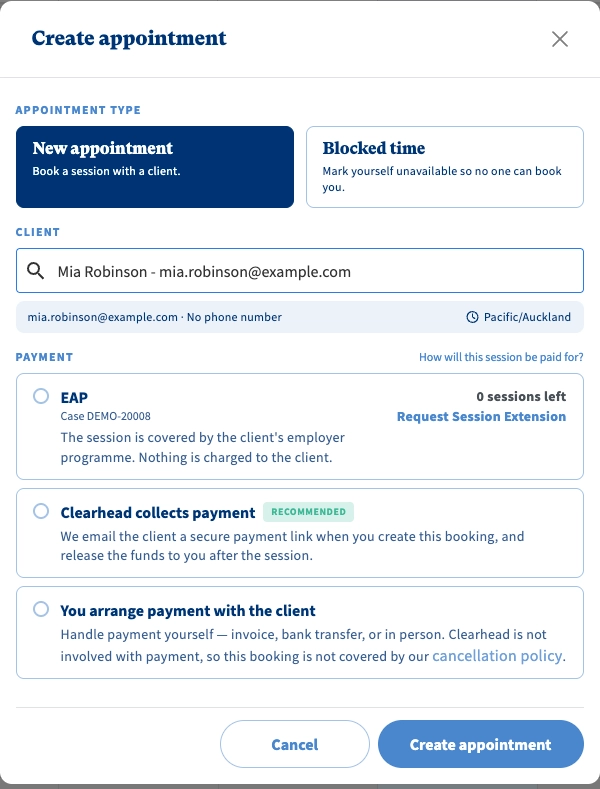
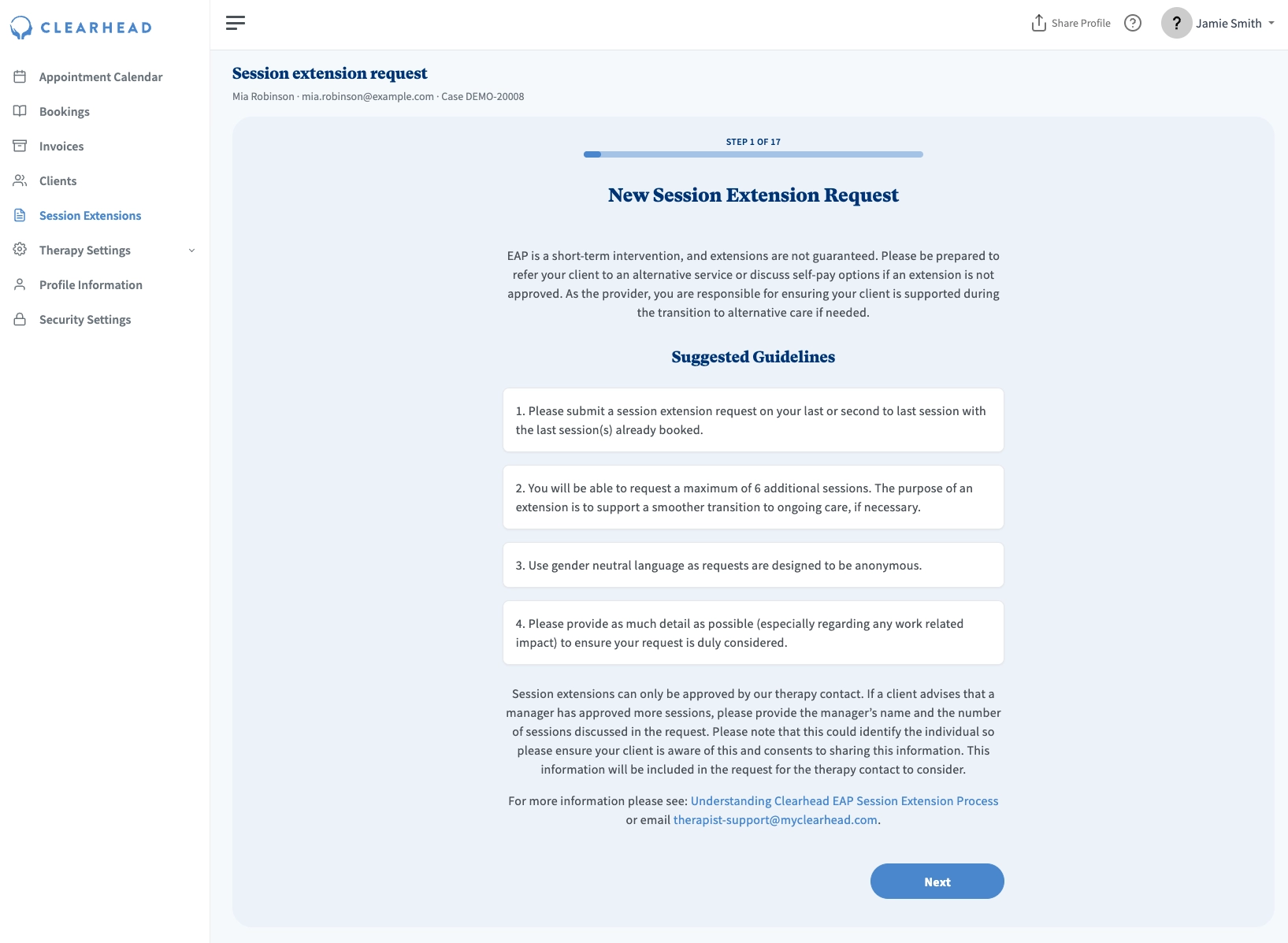
Submitting a Session Extension through the Session Extension tab:
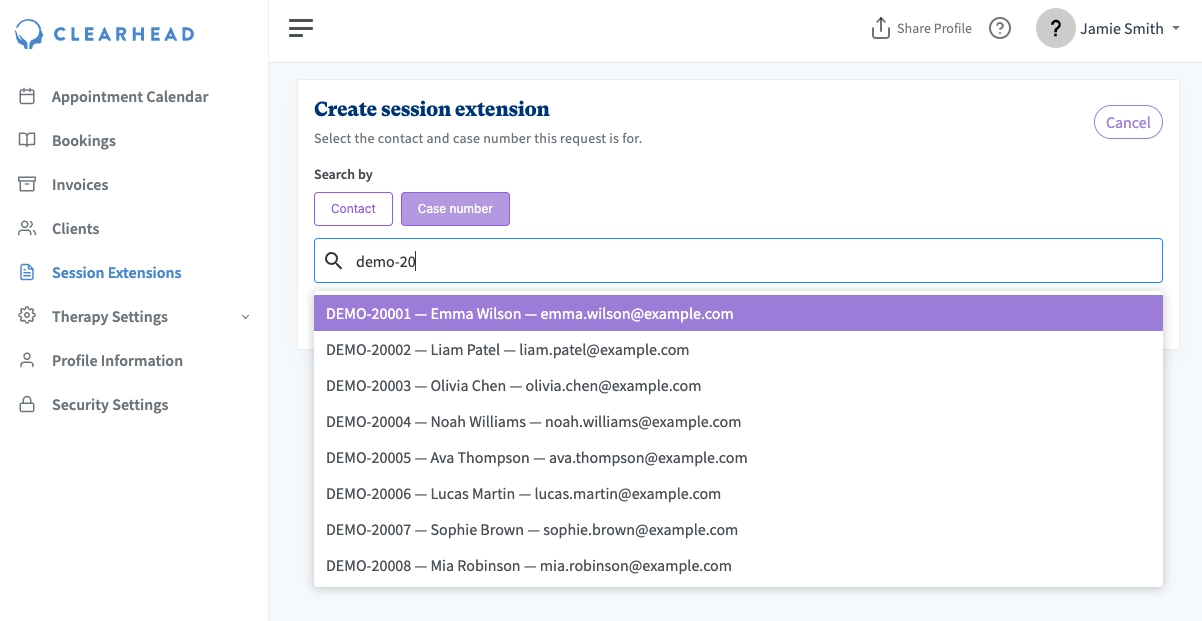
1. Go to the Session Extension tab on the left hand side bar and select 'create session extension':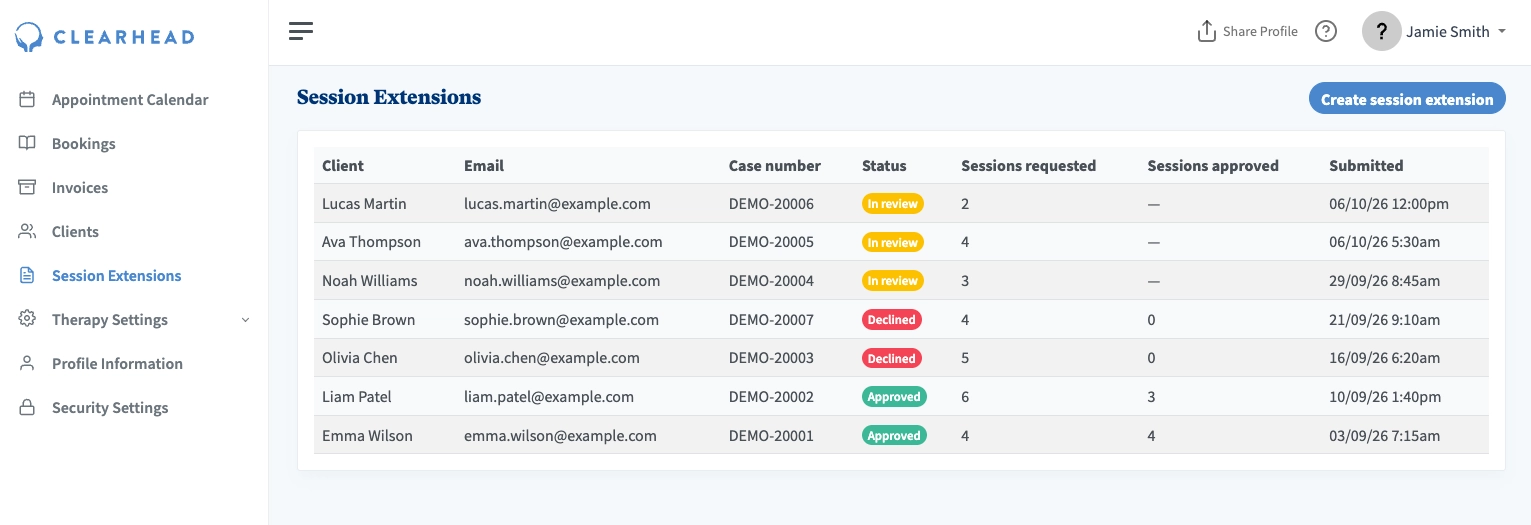
2. Search for the client by Contact (name) or Case number.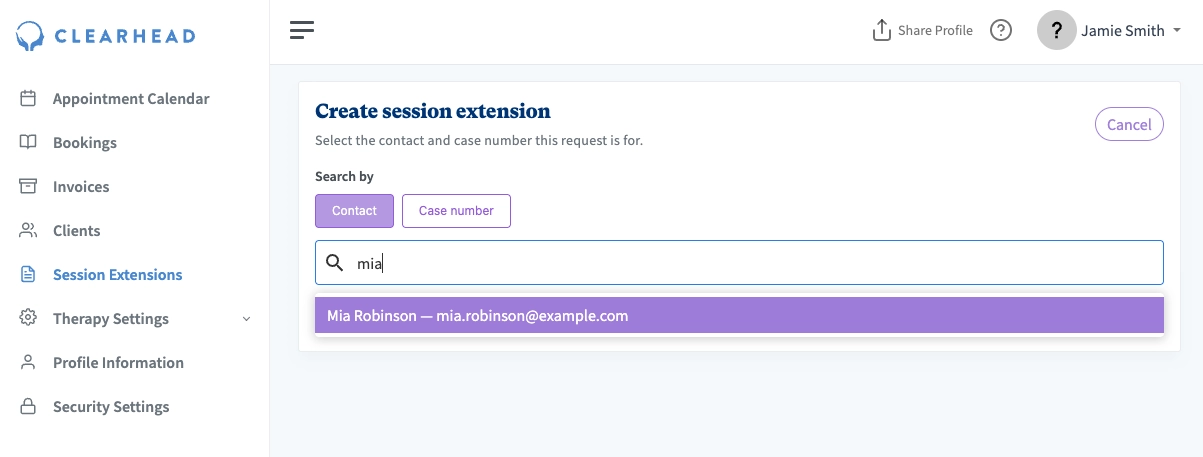
3. If the card is green and shows 'Extensions supported', press Continue. This will take you to the extension form as per step 3 above.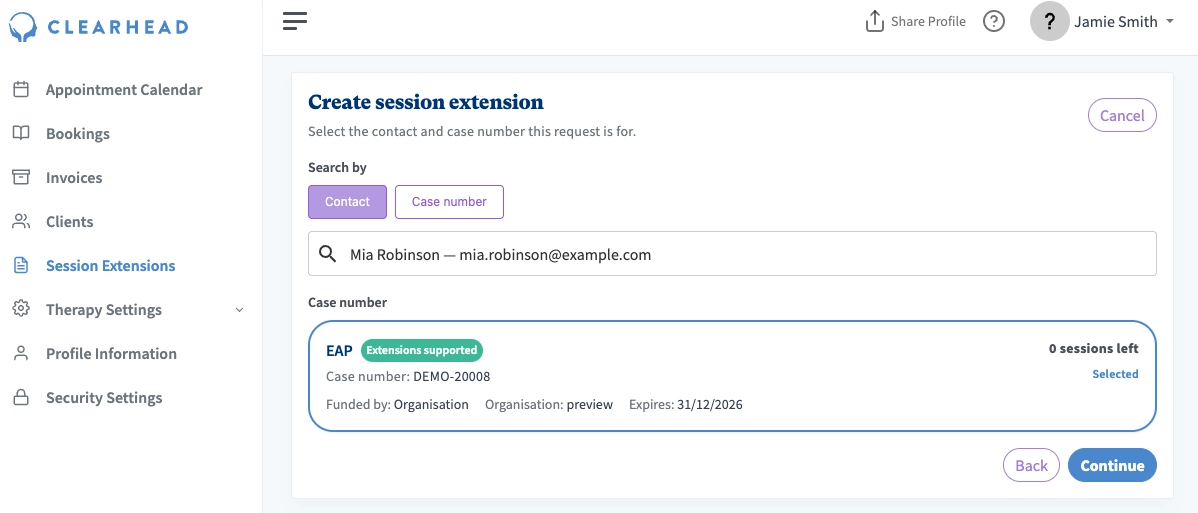
3a. If the card is yellow, extensions are not available.
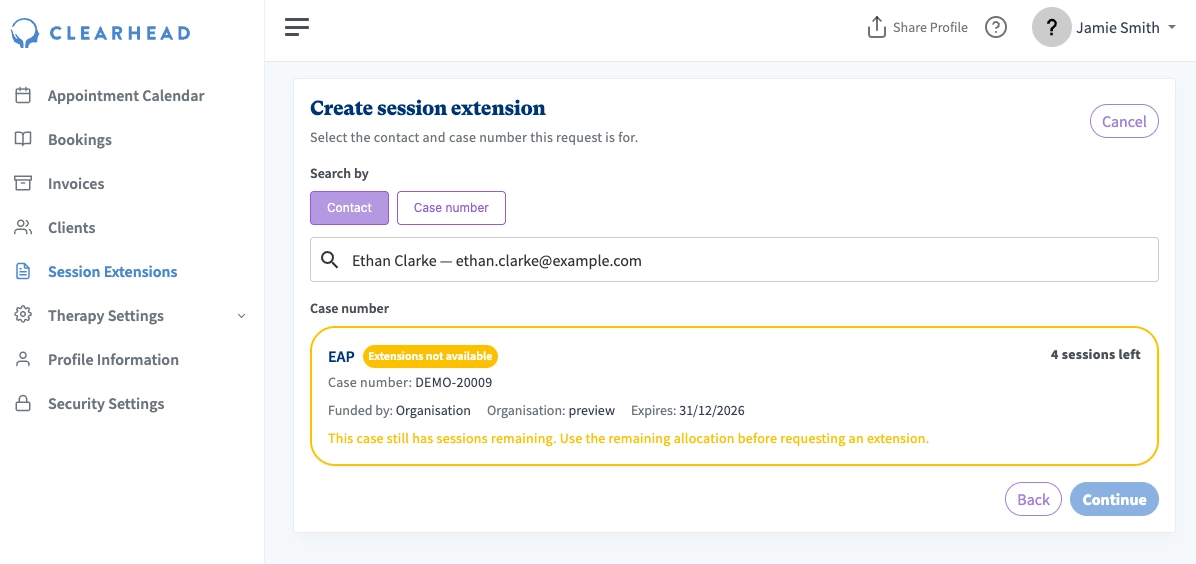
Some error messages you may see are:
| Message shown | Reason |
|---|---|
| This organisation does not allow session extensions. | Session extensions are turned off for this organisation at their request. |
| This case number is for a family member of an EAP client. Their organisation does not allow session extensions for family members. | Session extensions for family are turned off for this organisation at their request. |
| This case still has sessions remaining. Use the remaining allocation before requesting an extension. | You must finish all sessions before submitting an extension. If you believe the client will need more sessions early on, please book all of the sessions first in consultation with your client, and then the session extension button will appear. |
| The session extension request limit has been reached for this case. | Some organisations have a limit on how many session extensions can be requested per case number. You have reached this limit. |
| UniMed cases do not support session extensions. | Unimed Insurance does not grant session extensions. |
| Membership for this organisation is inactive. | The client is no longer part of the organisation that allowed them EAP funding, so session extensions cannot be applied for. |
| This case is completed and cannot request a session extension. | Their case number is closed. You can't submit an extension on a closed case number. |
| This case has expired and cannot request a session extension. | Their case number and allocation has expired for the year. You can't submit an extension on an expired case number. Check with the client, they may have a new allocation available if they wish to have more sessions, but they will need to rebook with you to activate the new allocation. |
| You can only request a session extension for a client you have completed a session with. | You need to have completed session(s) to request a session extension. |
If you are unable to apply for a session extension and believe you urgently need to request an extension, please contact us at therapist-support@myclearhead.com.
That’s Great!
Thank you for your feedback
Sorry! We couldn't be helpful
Thank you for your feedback
Feedback sent
We appreciate your effort and will try to fix the article