- In the Provider Portal, Click Therapy Settings on the left hand side of the screen.
- Then Manage Services/Prices.
- From there, you can:
- Toggle a service on (or off)
- Select or change the duration from the drop down options (you can only choose one duration per service)
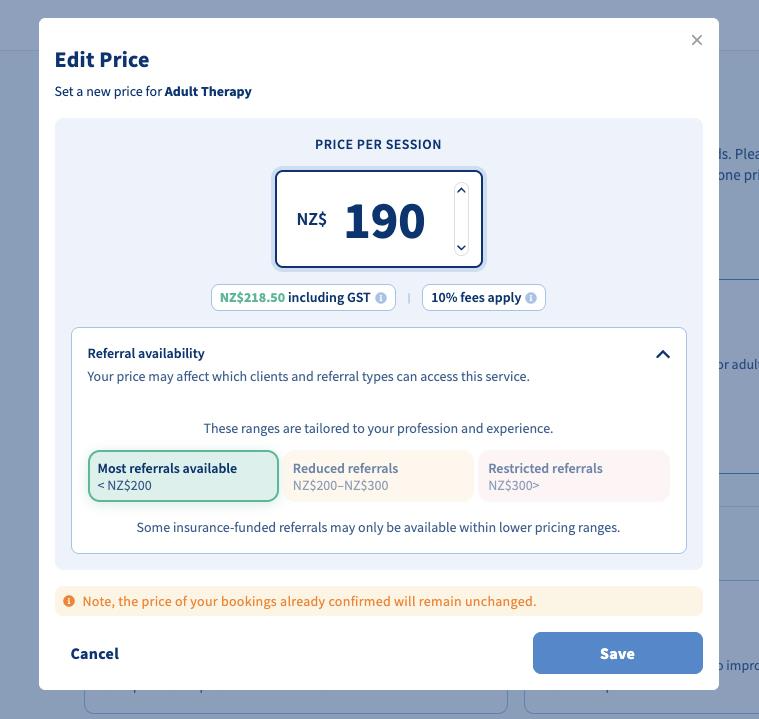
- Edit the price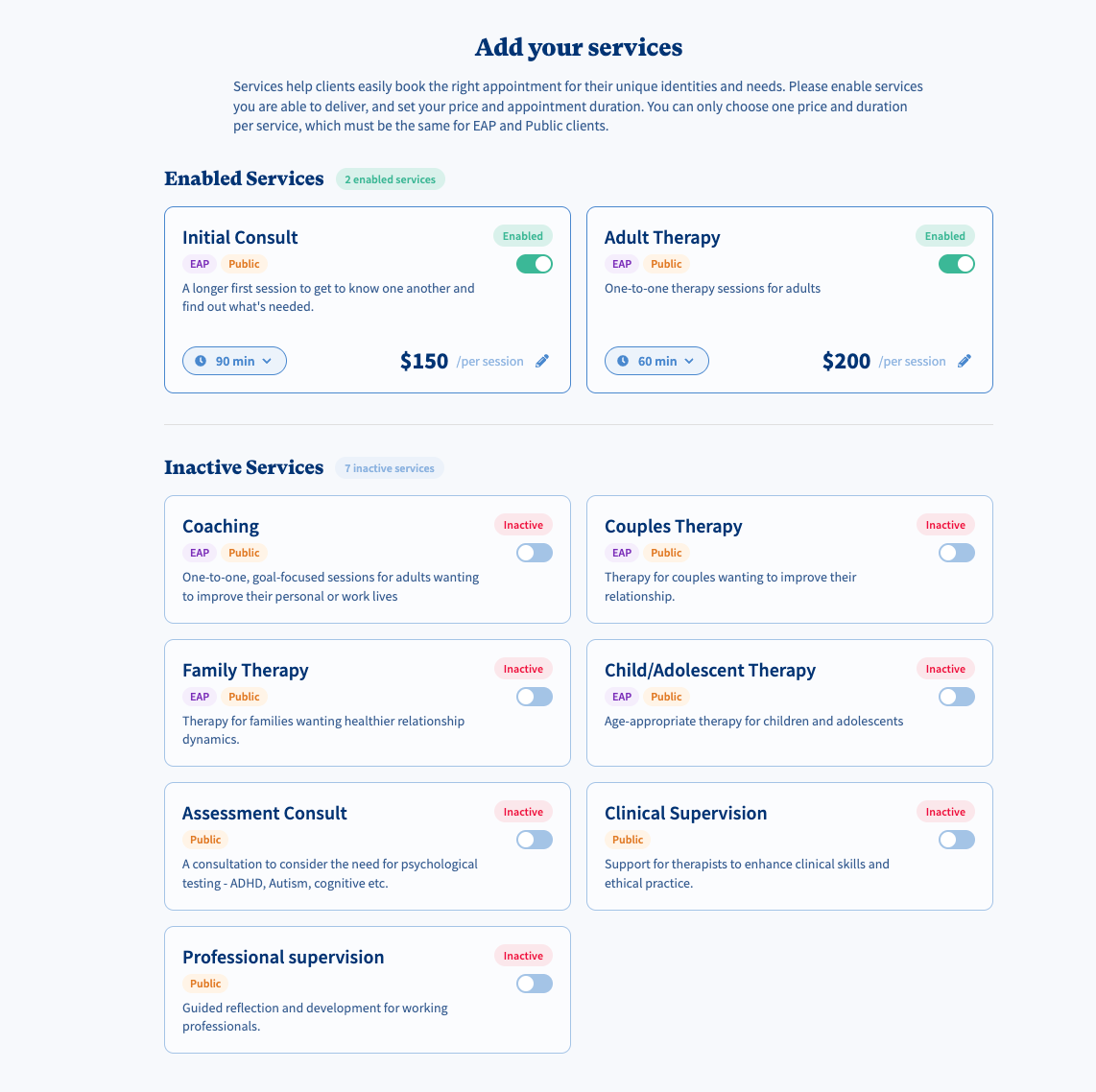
- To edit the price, click the pencil icon. (The price entered is the GST exclusive price, so if you are GST registered, enter your GST exclusive price). Clearhead provides a Referral availability guide based on your profession, where you can see if your price will result in the most, reduced or restricted numbers of referrals.
- Press Save.
For more information regarding our services and their scope, see here.
Was this article helpful?
That’s Great!
Thank you for your feedback
Sorry! We couldn't be helpful
Thank you for your feedback
Feedback sent
We appreciate your effort and will try to fix the article