1. Select Therapy Settings on the left hand side of your screen.
2. Then Manage Availability.
3. Tick the Box to start adding your available times to a specific day.
4. Select the Plus icon to add another time to that same day.
5. You can also click the Duplicate icon to copy all times from one day to another.

Availability Settings
6. You can click the cog icon to open your Availability and Location Settings for that specific day.
If you have multiple Services and Locations available that day, make sure to tick to enable them or clients won't be able to book them on that day. Make sure to set your services and locations for each day you have availability.
7. The Rubbish icon will delete that particular time-slot.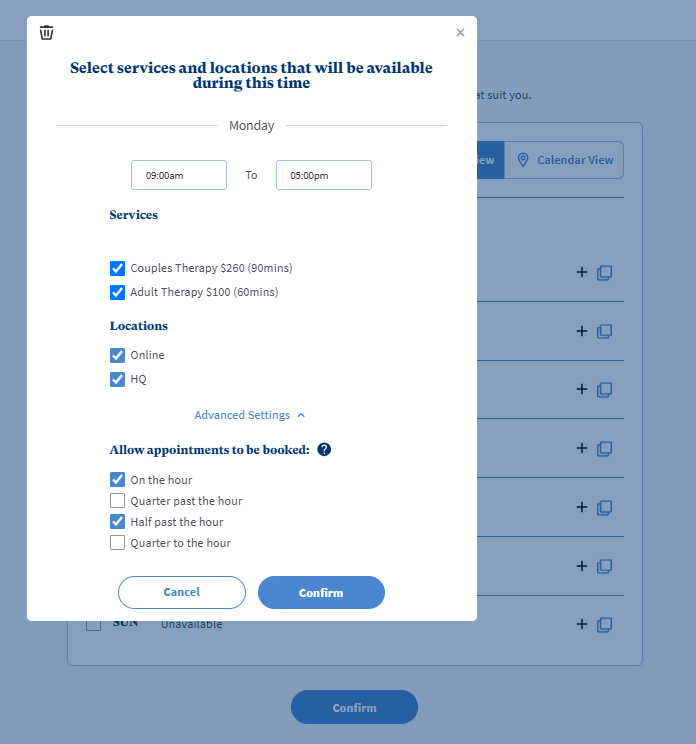
Advanced Settings
Allow appointments to be booked (on / quarter past / half past / quarter to) the hour.
Note! You'll need to select the Confirm button at the bottom of the page to save your settings.