To view your submitted session extension history, head to Session Extensions on the left hand side of your portal.
Here you can see all previous extensions submitted including:
-Client name
-Email
-Case Number
-Status: In Review, Approved, Declined
-Sessions requested
-Sessions approved
-Submitted date/time
You can also create a session extension from this page.
See more information here: How to request a Session Extension for your EAP Client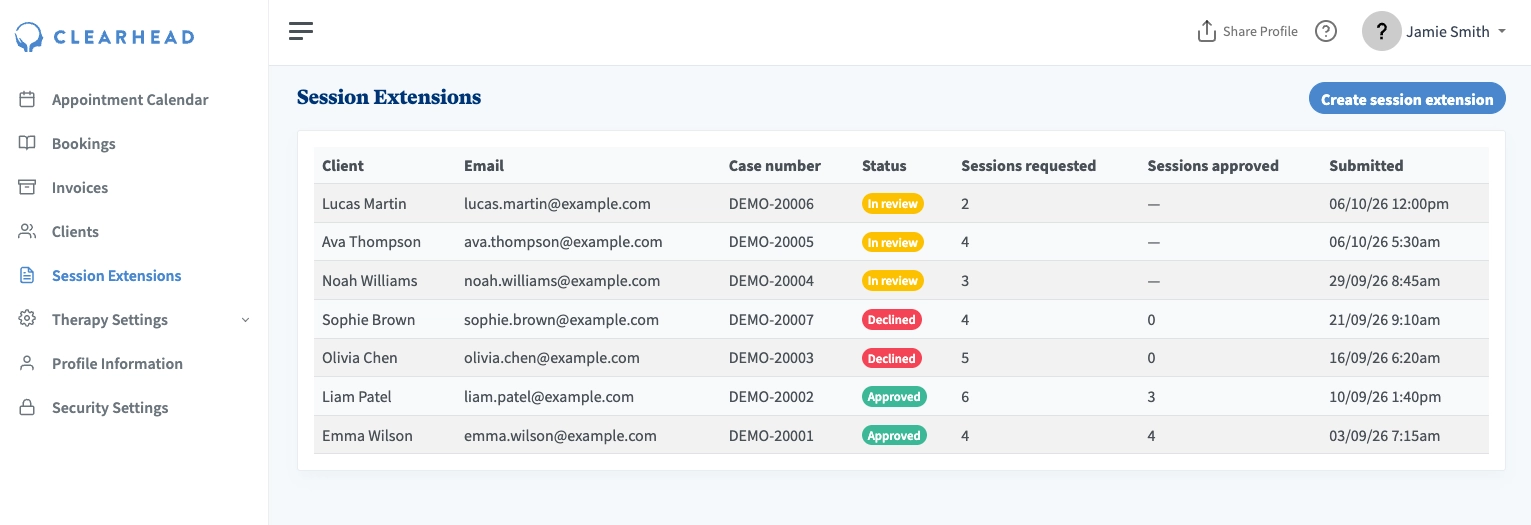
Clicking a request opens its details: the case number, status, client name and email, submitted date, sessions requested and approved, and every answer from the form. If the Clearhead team have provided notes regarding the approval or decline, they will appear here.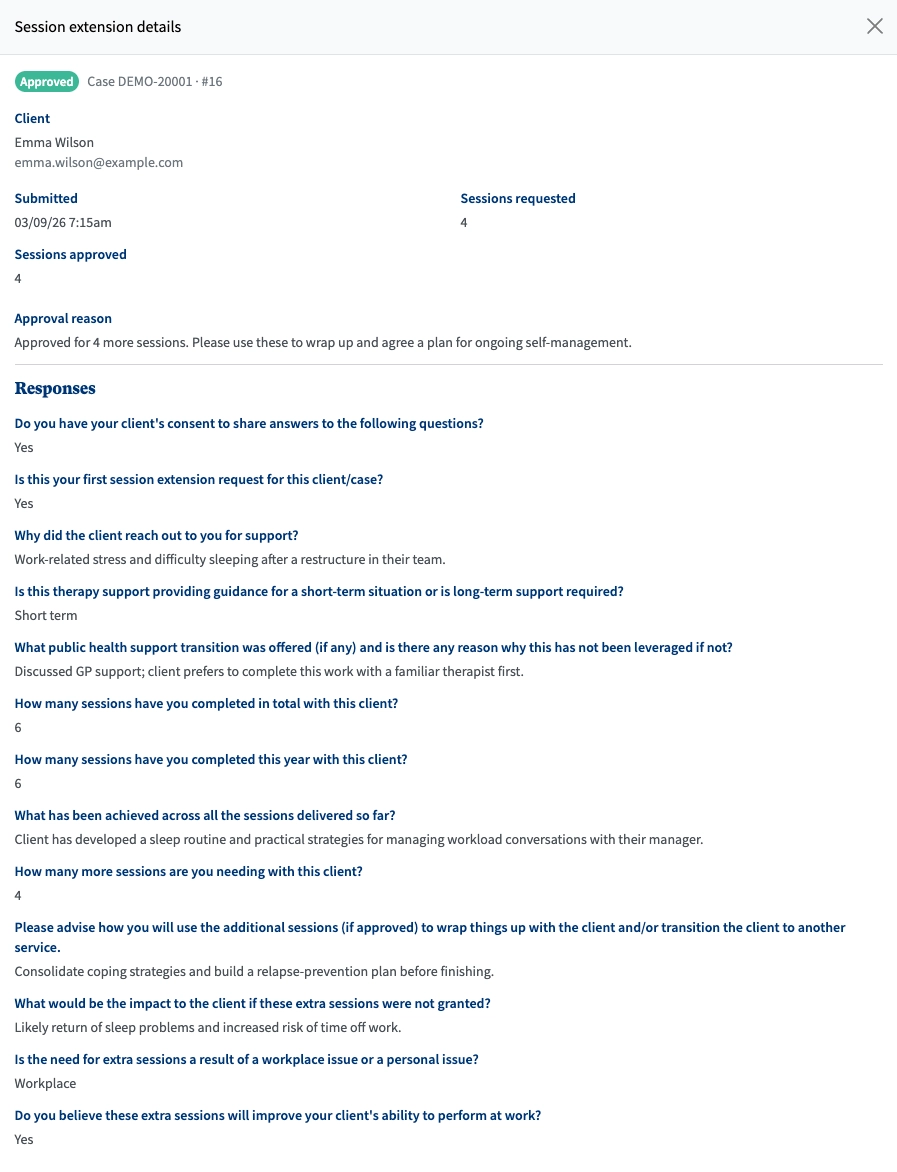
Was this article helpful?
That’s Great!
Thank you for your feedback
Sorry! We couldn't be helpful
Thank you for your feedback
Feedback sent
We appreciate your effort and will try to fix the article